
Why changing the battery doesn’t fix my Sun
If you open a Sun Blade 100 or any number of old Sun Microsystems computers looking for a dead battery, there is one sitting right there on the motherboard. It looks like the sort of thing you expect to replace when an old computer forgets its settings. Unfortunately, there is another battery hiding inside the clock chip, and changing the obvious one doesn’t do anything about it.
This is the problem I’m working on. I have a prototype running in Spikard, my Sun Blade 100, and I want to explain why this little board exists before getting into how it works.
The annoying part is that the Sun keeps rather important information in memory that depends on that hidden battery. Along with the time, it stores firmware settings and the machine’s identity. When those disappear, getting the computer going again involves more than correcting the date.
Why put a battery in there?
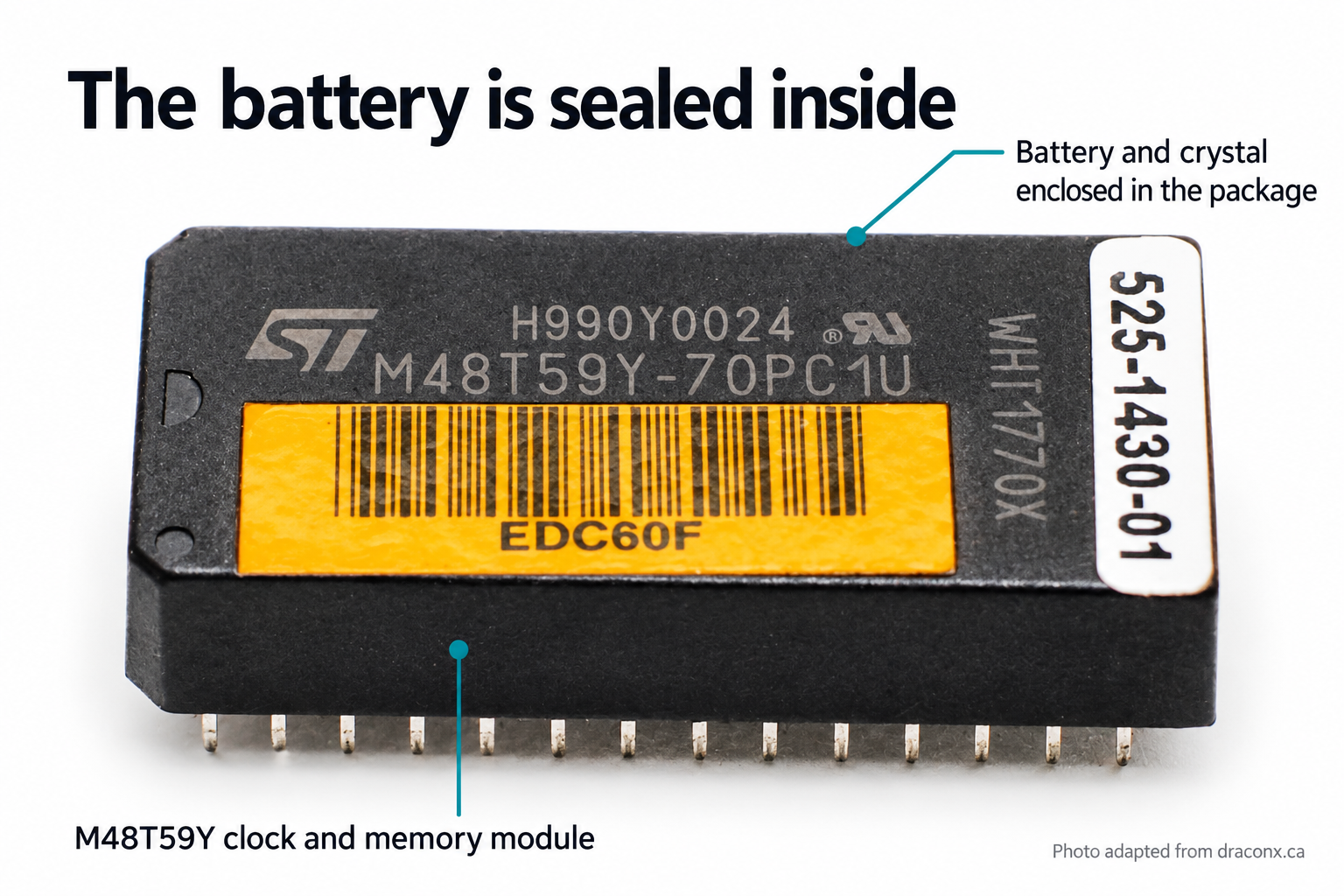
The original style of module. The battery is inside the package. Photo from this repair account.
Imagine we’re designing the workstation. We need somewhere to keep settings while the power is off, and we need a clock that keeps running when someone unplugs the machine. Ordinary static RAM is convenient to work with, but it forgets everything when its supply disappears. Connecting a battery seems simple enough until we have to deal with the moment the power fails.
The supply doesn’t instantly change from a healthy voltage to zero. It falls through a range where we can no longer depend on the rest of the computer behaving properly. We need to stop it writing rubbish into the memory, switch to the backup supply, and keep the clock going. Then we have to do the reverse when power comes back.
The M48T59Y gives us those functions in one component. We connect it much like static RAM, and the clock registers occupy part of the same address space. Supply monitoring and battery switching happen inside the device. In the sealed DIP package, the crystal and battery come with it too.
That takes several jobs off the board, but it doesn’t explain why the battery has to be sealed inside. ST also offers the M48T59Y in a surface mount package with a removable battery and crystal top. We can have the same clock and memory functions and still give someone a way to change the battery.
Sun uses the sealed version in the Blade 100. My guess is that it comes down to cost. When we’re building thousands of computers, even a small saving on each board adds up.
What I do have is the computer twenty years later. The battery wears out, while the electronics around it may still be perfectly usable, and changing it becomes a repair project instead of a routine bit of maintenance.
The other battery
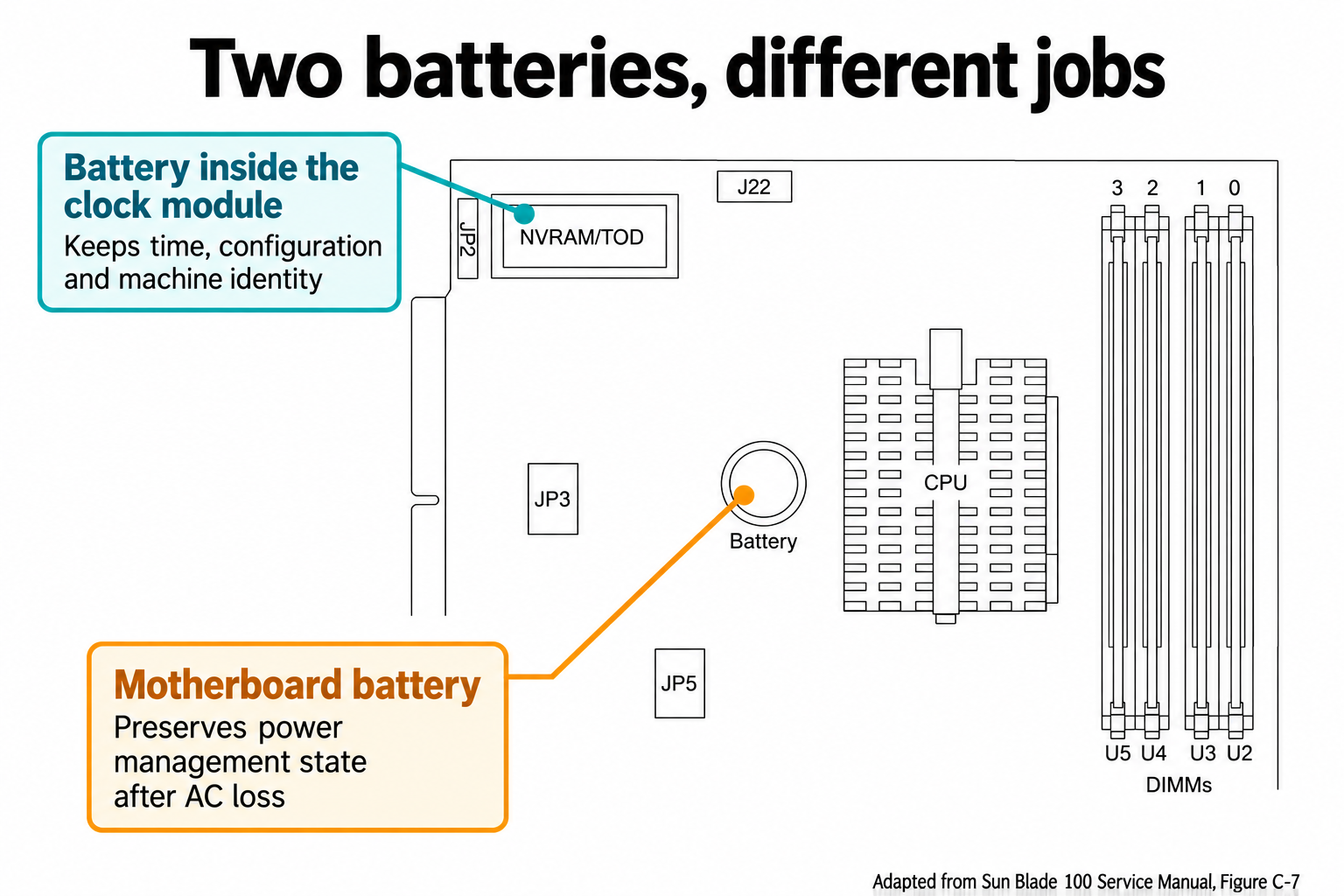
Detail from Figure C-7 in Sun’s service manual. The two batteries have different jobs.
The visible motherboard battery does have a job. It preserves the power state in the ALi southbridge’s power management circuitry. When AC power disappears, the machine needs to remember whether it is running or sitting in standby so it can respond appropriately when power returns. Sun describes this in a service notice about an automatic restart problem.
The clock module has its own battery to keep its clock running and its memory intact. The service manual describes that self-contained supply separately from the motherboard cell.
So there are two different bits of the computer trying to remember two different things. Changing the motherboard battery doesn’t reach into the clock package and replace the battery in there. It’s an easy distinction to miss when there is a perfectly ordinary looking coin cell sitting in front of you.
Once the clock module loses its memory, the configuration becomes another job to sort out. OpenBoot has settings for which device to boot, whether to boot automatically, and where to send its console input and output. The configuration reference gives a sense of how much behavior lives in those settings. The operating system can still be sitting on a perfectly good disk while the firmware no longer has the configuration you expect.
Then there is the host ID and Ethernet address. Loading default settings doesn’t tell a blank replacement which machine it belongs to. You need to preserve that information or restore it as part of the repair. And if you do all that work while the backup battery is still dead, removing power can put you right back where you started.
Plenty of other people have this problem
Sun owners are hardly alone here. Similar modules turn up in arcade boards and older computers, while test equipment uses battery supported memory for things that can be much harder to replace than the current date.
In a Konami Viper repair discussion, an owner cuts into the clock package to reach the battery connections and fits an external holder. Over on the Sun rescue mailing list, Jonathan Chapman describes repair boards for several ST and Dallas modules, with different approaches depending on whether the underlying chips are still obtainable. Tektronix owners discuss backing up memory before replacing modules, including the problem of preserving calibration information. I’ve collected the references and repair accounts for anyone who wants to follow those projects.
There are several ways into the problem. You can expose the connections and give the old chip a new battery, rebuild the assembly around an available device, or design a replacement. Which makes sense depends on the equipment, the condition of the original part, and what information you stand to lose.
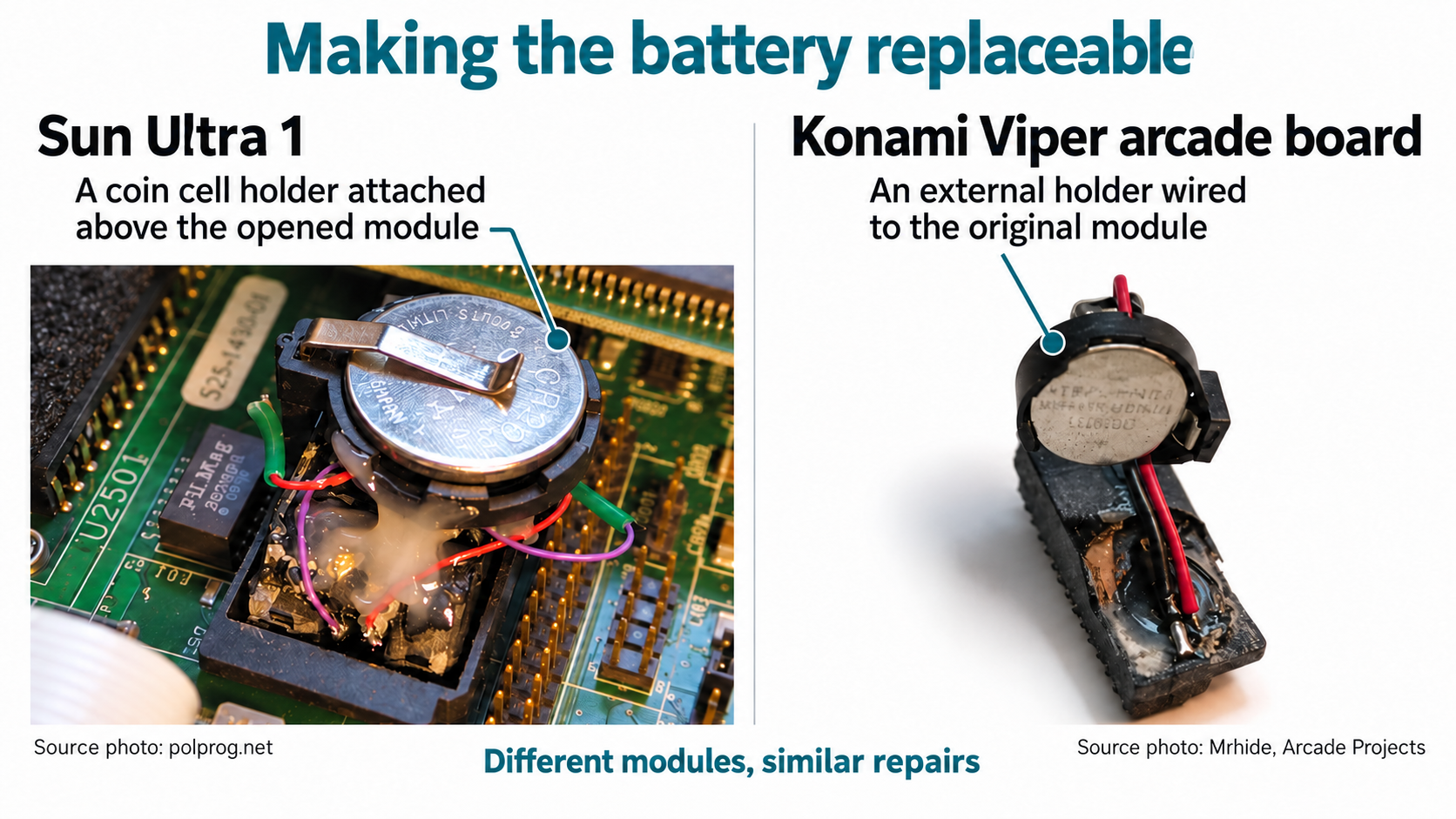
Making the battery accessible in a Sun Ultra 1 and a Konami Viper. Source photos by polprog and Mrhide.
For my initial adapter, I’m using an M48T37Y with a removable battery and crystal top called a SNAPHAT. The package arrangement makes the next battery change a service job instead of another excavation. There are differences between this chip and the original, including how they handle century information, which I’ll get into as we work through the design.
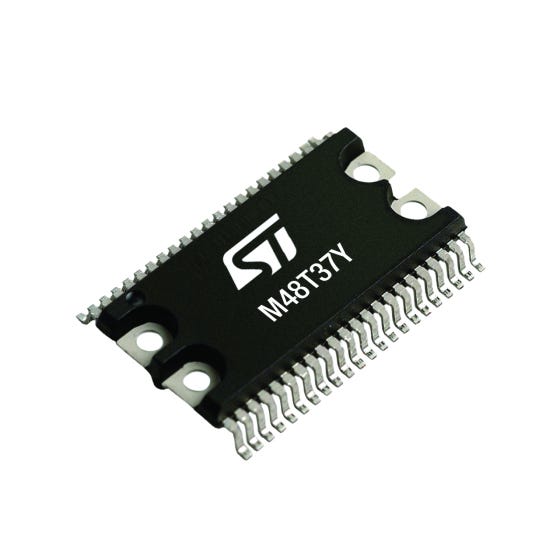
The M48T37Y, shown in ST’s product listing. The removable battery and crystal top fits over this package.
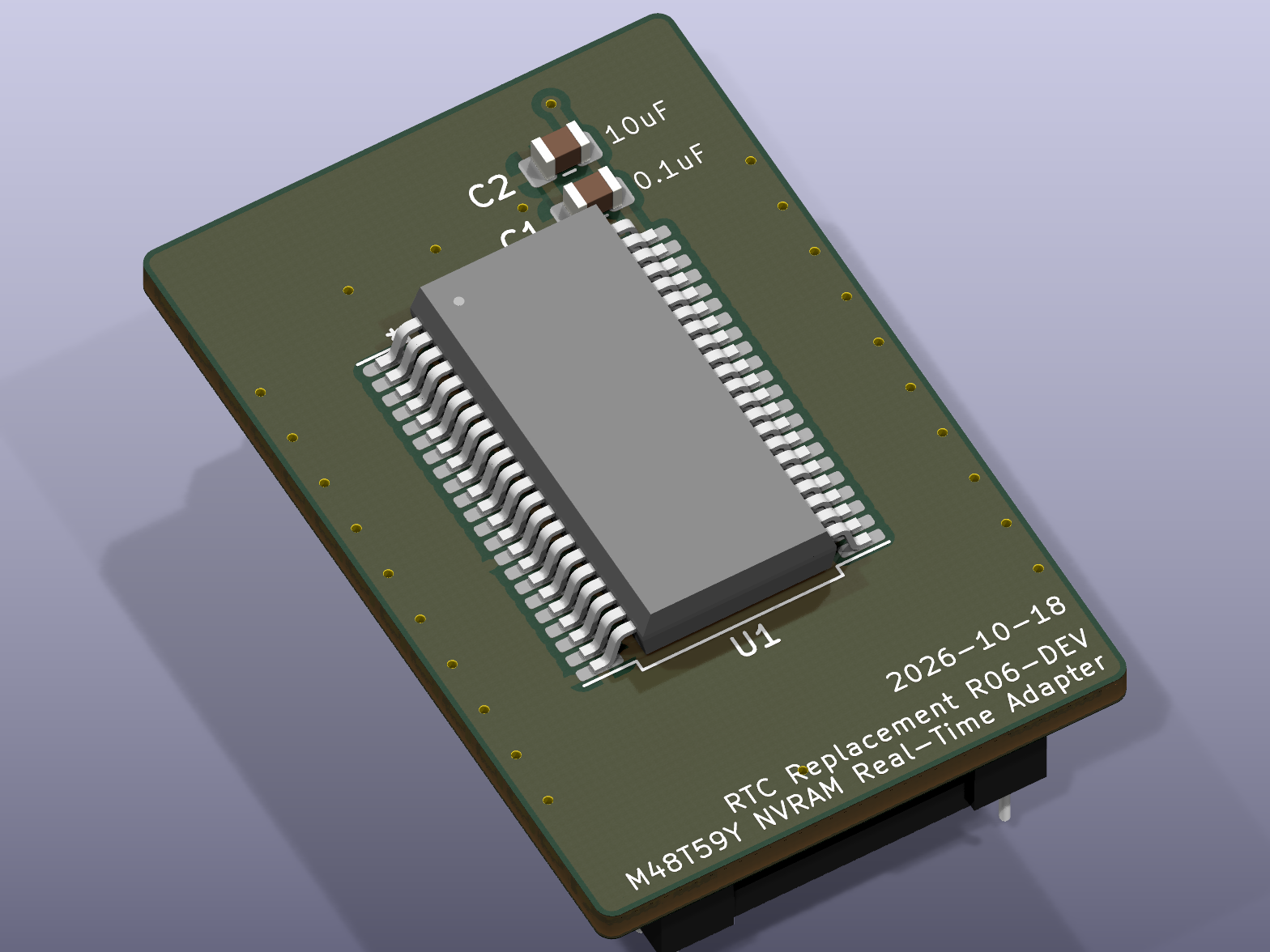
KiCad view of the current adapter design, shown without the removable battery top.
Ultimately I want to go further. I don’t want the computer’s ability to remember its configuration to depend on keeping a battery alive. If the clock runs out of power and loses the date, I can deal with setting the time. I don’t want that to take the rest of the machine’s identity and settings with it.
That means separating two requirements which these modules bundle together. Keeping time while the machine is unplugged needs an energy source. Keeping configuration doesn’t necessarily have to. Making that separation work with the hardware and firmware already in the Sun is the longer term design problem I want to solve.
References
- STMicroelectronics, M48T59/Y/V datasheet, description and data retention operation. Local copy.
- Sun Microsystems, Sun Blade 100 Service Manual, October 2000, sections 8.5.1 and C.2.9. Local copy, original.
- Sun Microsystems, FCO A0204-1, September 30, 2002. Local copy.
- Sun Microsystems, OpenBoot configuration reference. Local copy, original.
- STMicroelectronics, M48T37Y/V datasheet. Local copy, original.
- Restoration accounts from Arcade Projects, Sun rescue and TekScopes. Reading notes and original discussions.